
Note
Go to the end to download the full example code or to run this example in your browser via Binder
Plot tensor 2D#
shows the raw tensors in a two-dimensional layout.
# Author: L.Kouadio
# Licence: BSD-3-clause
from watex.view.plot import TPlot
from watex.datasets import load_edis
e= load_edis (samples =21 , key='*')
edi_data = e.frame.edi.values
# get some 3 samples of EDI for demo
# customize plot by adding plot_kws
plot_kws = dict( ylabel = '$Log_{10}Frequency [Hz]$',
                                            xlabel = '$Distance(m)$',
                                            cb_label = '$Log_{10}Rhoa[\Omega.m$]',
                                            fig_size =(6, 3),
                                            font_size =7.,
                        plt_style ='imshow'
                                            )
t= TPlot(component='yx', **plot_kws ).fit(edi_data)
# plot recovery2d using the log10 resistivity
t.plot_tensor2d (to_log10=True) # plot for raw tensor
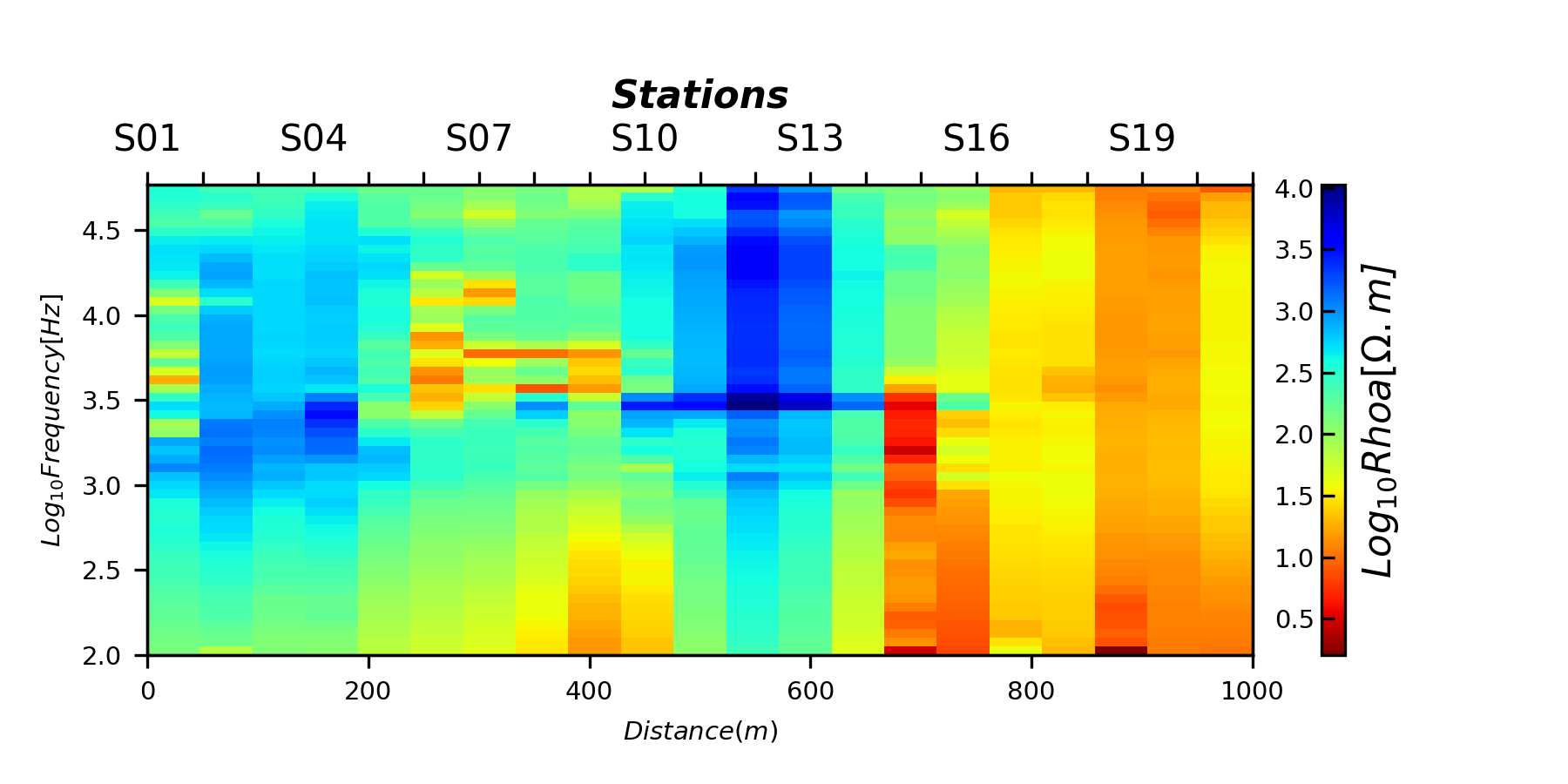
<AxesSubplot:xlabel='$Distance(m)$', ylabel='$Log_{10}Frequency [Hz]$'>
Total running time of the script: (0 minutes 0.626 seconds)
