Note
Go to the end to download the full example code or to run this example in your browser via Binder
Plot apparent resistivity curves#
Plot station/site apparent resistivity curves
# Author: L.Kouadio
# Licence: BSD-3-clause
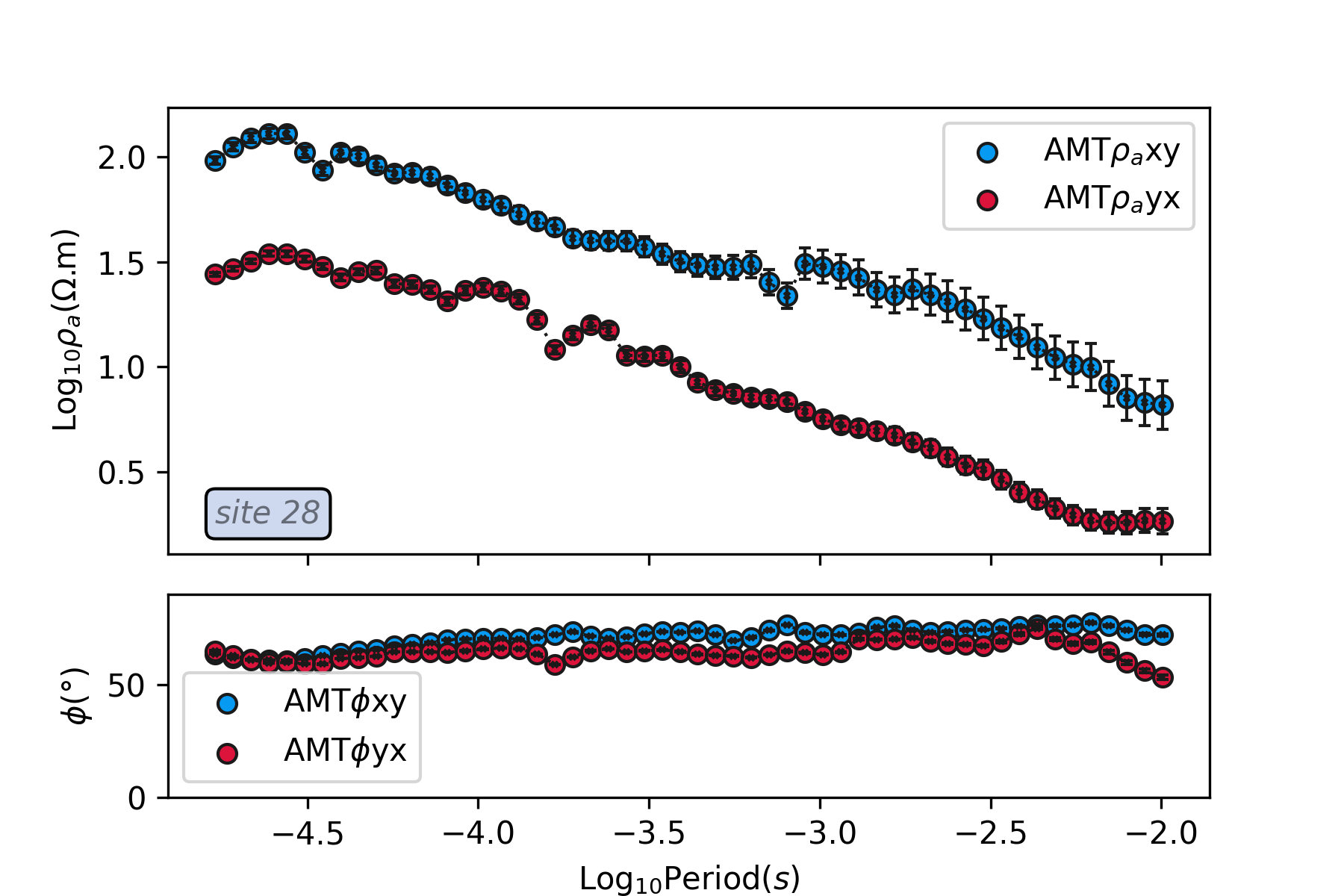
An example of plot apparent resistivity curves with error bar
of EDI data collected in Huayaun province. seed is used to reproduce
the data at the same station
import watex
test_data = watex.fetch_data ('huayuan', return_data =True , clear_cache=True )
tplot = watex.TPlot(fig_size =(6,  4), marker ='o').fit(test_data)
tplot.plt_style='classic'
tplot.plot_rhoa (seed =52, mode ='*', survey='AMT', show_site =True )
<'TPlot':survey_area=None, distance=50.0, prefix='S', window_size=5, component='xy', mode='same', method='slinear', out='srho', how='py', c=2>
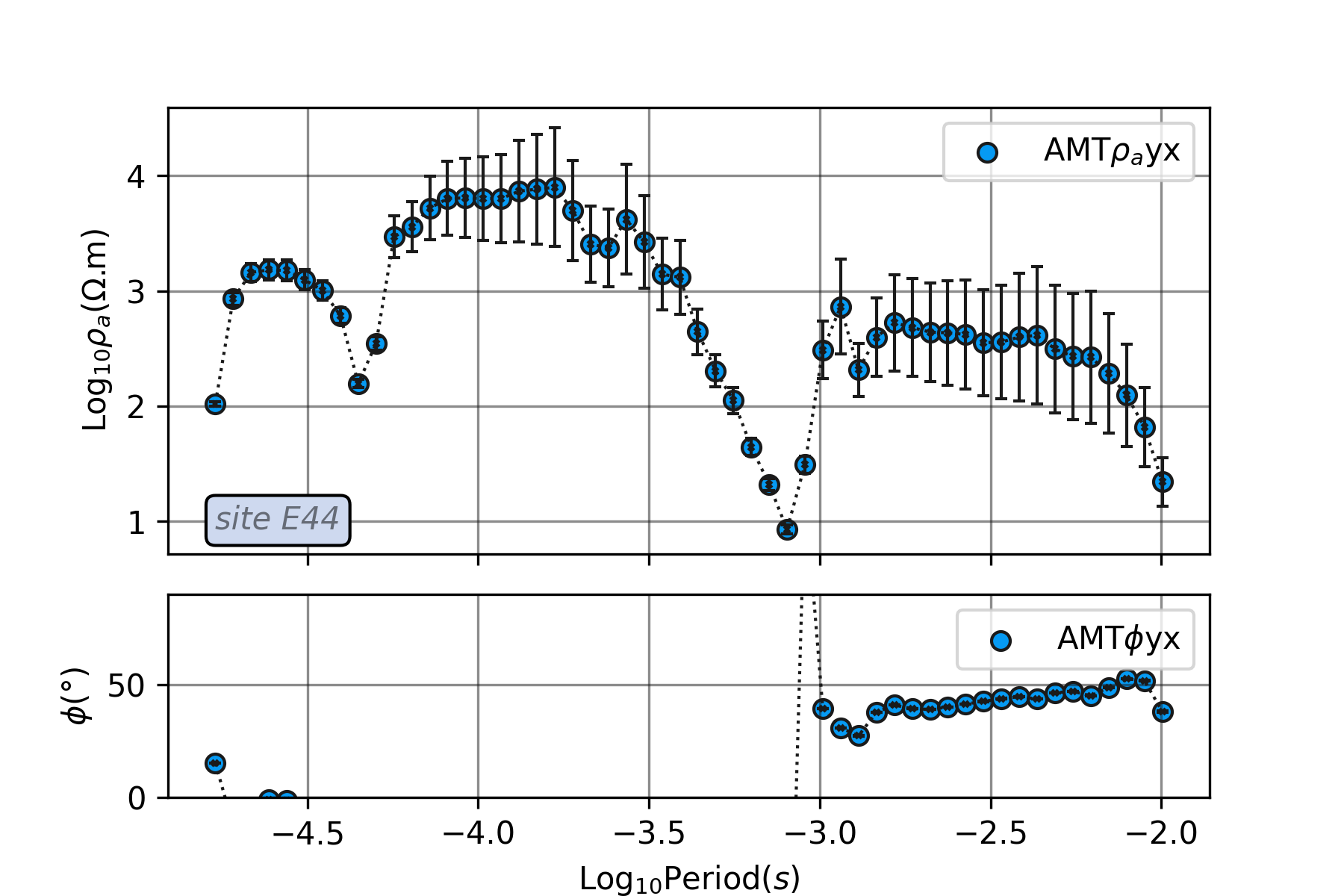
To plot a station data with no errorbar and a single component,
we can set, errobar=False and specify the EM mode. For instance,
we use the transverse electric mode TE for this example at station s44.
tplot.show_grid=True
tplot.plot_rhoa (site= 'E44', mode ='TM',survey='AMT', show_site =True ,

                )
<'TPlot':survey_area=None, distance=50.0, prefix='S', window_size=5, component='xy', mode='same', method='slinear', out='srho', how='py', c=2>
Total running time of the script: ( 0 minutes 1.169 seconds)
